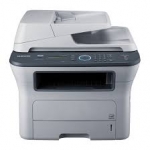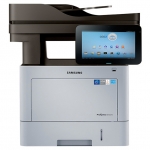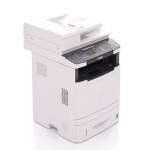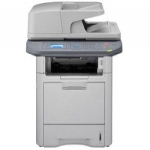
Samsung SCX-4835FR Driver Download Links
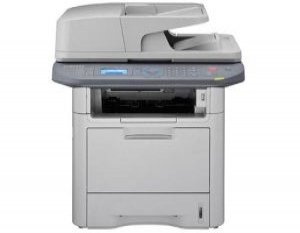
Samsung SCX-4835FR Driver DownloadSamsung is known for delivering superior technology. So you can be sure that printing large documents with the Samsung SCX-4835FR MFP will be a breeze. With a 600MHz dual-core processor and up to 768MB of memory, you can expect fast productivity every day. You'll also be ready to go right away with a First Page Print Time (FPOT) of just 6.5 seconds and with a duty cycle of up to 80,000 prints per month, your Samsung MFP can handle everything you need.
Capable of handling any project you face, this network-ready multifunction laser printer delivers productive printing, copying, scanning, and faxing performance. Fast output speeds and robust memory help you work efficiently. High-quality print resolution produces impressive documents. The integrated two-sided automatic document feeder (ADP) scans both sides of multi-page, two-sided documents without having to stop and flip them. A front USB port lets you print files from and scan directly to a flash drive—no PC required.
- Category
Samsung
Licence
Free
Run On
Windows, Mac Os
File Size
Windows : 88 MB, Mac :6 MB
The Document Box makes sharing and printing easy. With up to 2GB of internal storage, documents can be saved from your server, email, fax, and printer, then quickly emailed, faxed, or printed with the touch of a button.
Pros
- Ethernet support.
- Standalone fax and copier.
- Automatic document feeder.
- Duplex printing.
Cons
- Slow for the price.
- Overall output quality is slightly below par
Runs On
- Windows XP
- Windows Vista
- Windows 7
- Windows 8
- Windows 8.1
- Windows 10
- Mac OS X 10.6 ~ Mac OS X 10.9
The procedure for downloading and installing the printer driver
1. For Windows OS:
- Click the download link as shown below then select [Save]
- Select "Save As", then save to download the selected driver file or by selecting [Run] / [Open]) the file will be automatically installed after the driver is saved. The downloaded file is stored in the place that you specified in the .exe format.
- Finally, double-click on the .exe file to decompress so that the installation will start automatically.
2. For Macintoch OS
- click on the download link available below
- Check your computer's settings to set the location for storing the drivers you want to download.
- Double-click the file to be installed on the Disk Image. Then open the installed Disk Image and set the file folder to start the installation automatically.
3. For Linux OS:
- The process of downloading and installing can be done very easily, you just need to follow the instruction manual given to the driver that was downloaded in the installation process.
If you experience problems installing the driver, you can contact professional service software to be able to resolve the problem.
Select the driver you want to download from this list. You can also choose the operating system to see only drivers that are compatible with your system.
So my post today is about 'Samsung SCX-4835FR Specifications and Drivers'. Hopefully it can be useful especially for myself as a material note and generally for a warehouse driver friend. So much from me, thank you very much for your visit and see you again in the next post.
Read : Samsung Xpress M2070 Driver
Samsung SCX-4835FR Driver Download
- Before you download this file, please check determine the Operating System.
- To download this file, Just click on the download link Samsung SCX-4835FR Driver Driver Download.
- All files are original, This Website does not repack or modify downloads in any way.
- if you have any trouble to installation this driver printer, Call online support software or professional services software.